
SM
Work
Resume
Let’s Talk
WebPlus
Improving Web Accessibility for People with Dyslexia
Accessibility
UX Research
HCI
Ability Based Design
Adaptive UI
Introduction
In a world increasingly shaped by the internet, accessibility is a fundamental right. However, individuals with cognitive disabilities, particularly dyslexia, face challenges in engaging with digital interfaces. Dyslexia affects 10–20% of the U.S. population and impairs reading and writing abilities, which impacts everyday web browsing. Current assistive tools often lack personalization and adaptability to individual needs.
To address these challenges, we developed WebPlus, a browser extension that leverages Ability-Based Design and Adaptive User Interfaces to dynamically adjust web page layouts and improve accessibility for dyslexic individuals.
The Problem
Traditional assistive technologies for dyslexic users are rigid, generic, and require high user involvement. They fail to account for individual differences, behavioral context, or real-time needs—resulting in poor accessibility and engagement.
What We Did
Led UX research and co-designed WebPlus, a browser extension that adapts websites in real time using behavioral signals (like stress levels) and cognitive strengths (e.g., spatial memory). Grounded in Ability-Based Design and Adaptive UI principles.
The Outcome
Created a working prototype and concept paper that demonstrates how digital interfaces can become truly inclusive for neurodiverse users. The design enhances readability, comprehension, and confidence for people with dyslexia—without them having to ask for help.
Understanding Dyslexia in Digital Spaces
To show empathy, establish the real-world importance of your project, and provide data-backed context for why WebPlus matters.
Dyslexia: The Overlooked Digital Struggle
Over 10–20% of the U.S. population has dyslexia — yet most web experiences are not optimized for them.
Users with dyslexia struggle with:
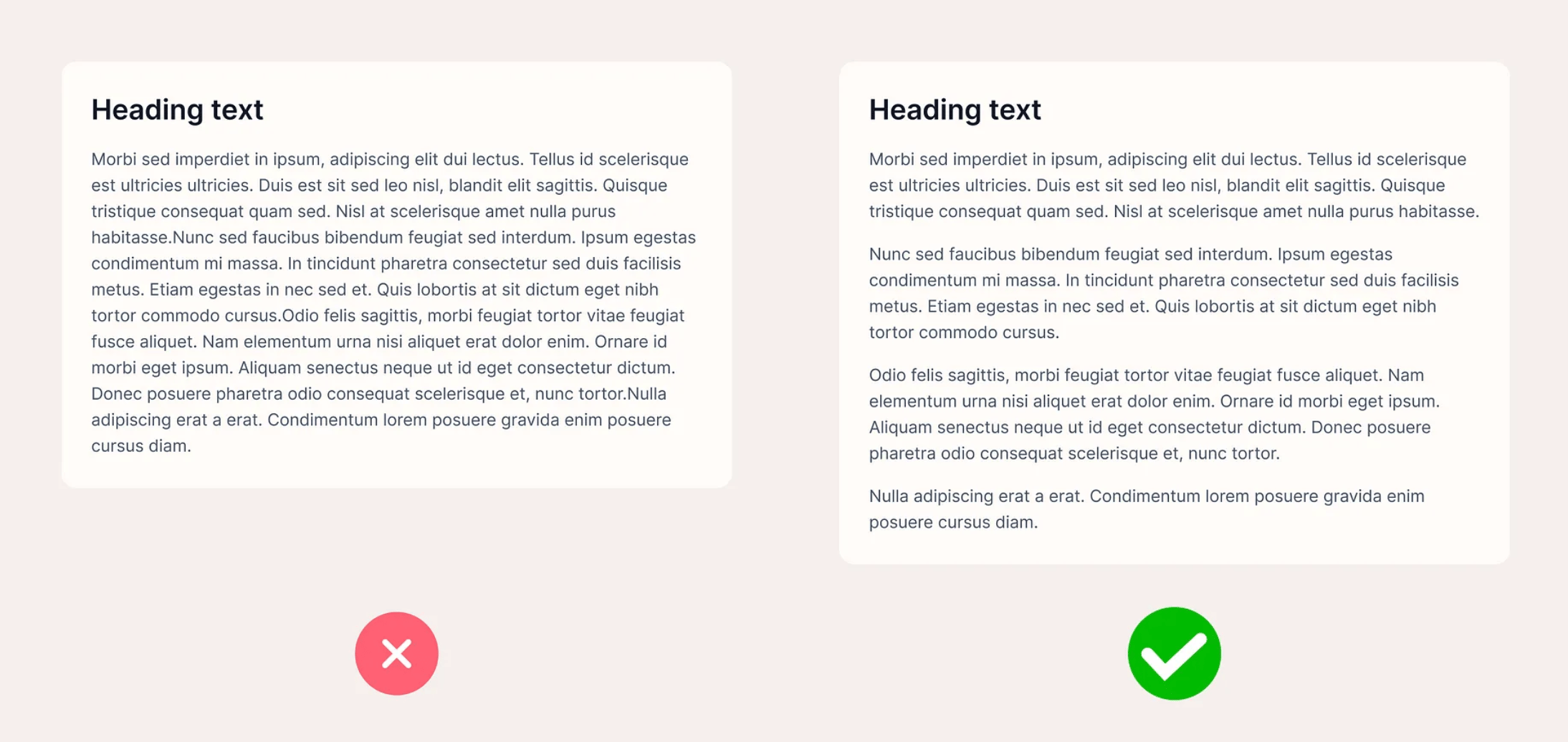
- Dense paragraphs and ungrouped text
- Font readability issues (crowding, kerning)
- Navigation confusion in flat or inconsistent hierarchies
Despite progress in TTS, dyslexia-friendly fonts, and plugins — most tools are:
- Static
- Manual
- Not personalized
- Designed for disability, not for ability


1 in 5 people live with Dyslexia
Common Challenges Faced by Users
Text Overload
Navigation Difficulty
Cognitive Stress


Why Existing Tools Aren’t Enough
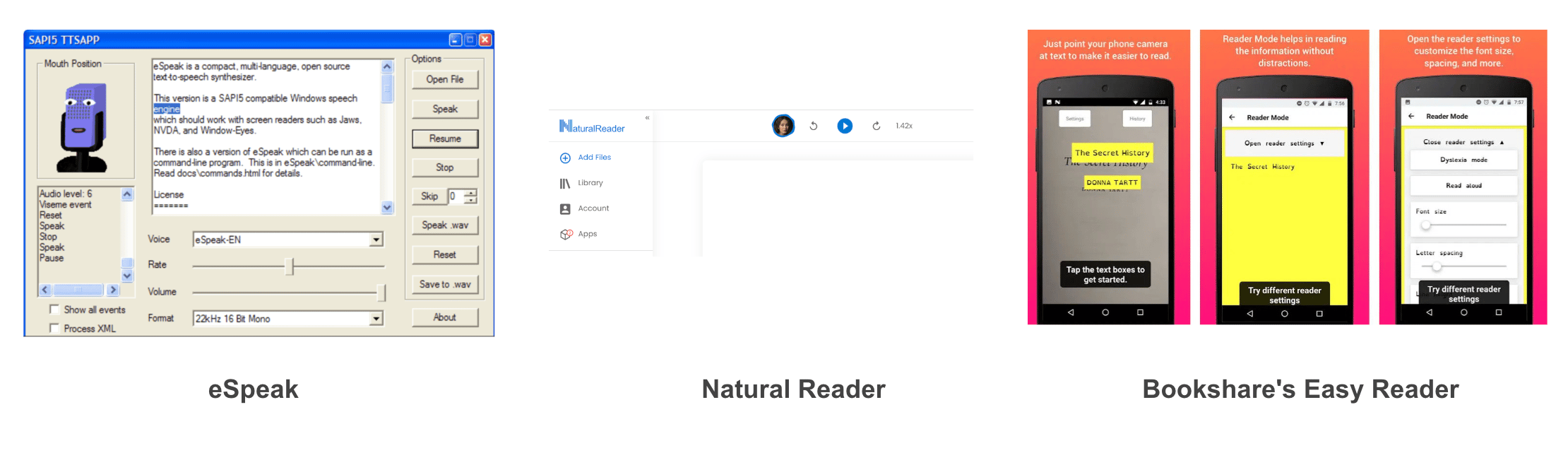
Today’s accessibility tools like text-to-speech (TTS), Open Dyslexic fonts, and browser extensions are helpful — but often rigid. Many are designed for “checklist compliance” rather than user empowerment, and few adapt to real-time behavior or support user strengths like spatial recall. These tools also:
- Require constant manual adjustment
- Lack intelligent adaptation
- Focus on deficiencies rather than user abilities
Design Principles That Guide WebPlus
Adaptive Interface
WebPlus responds to real-time stress indicators and behavior patterns using passive input like smartwatch data or eye tracking.
Ability-Based Design
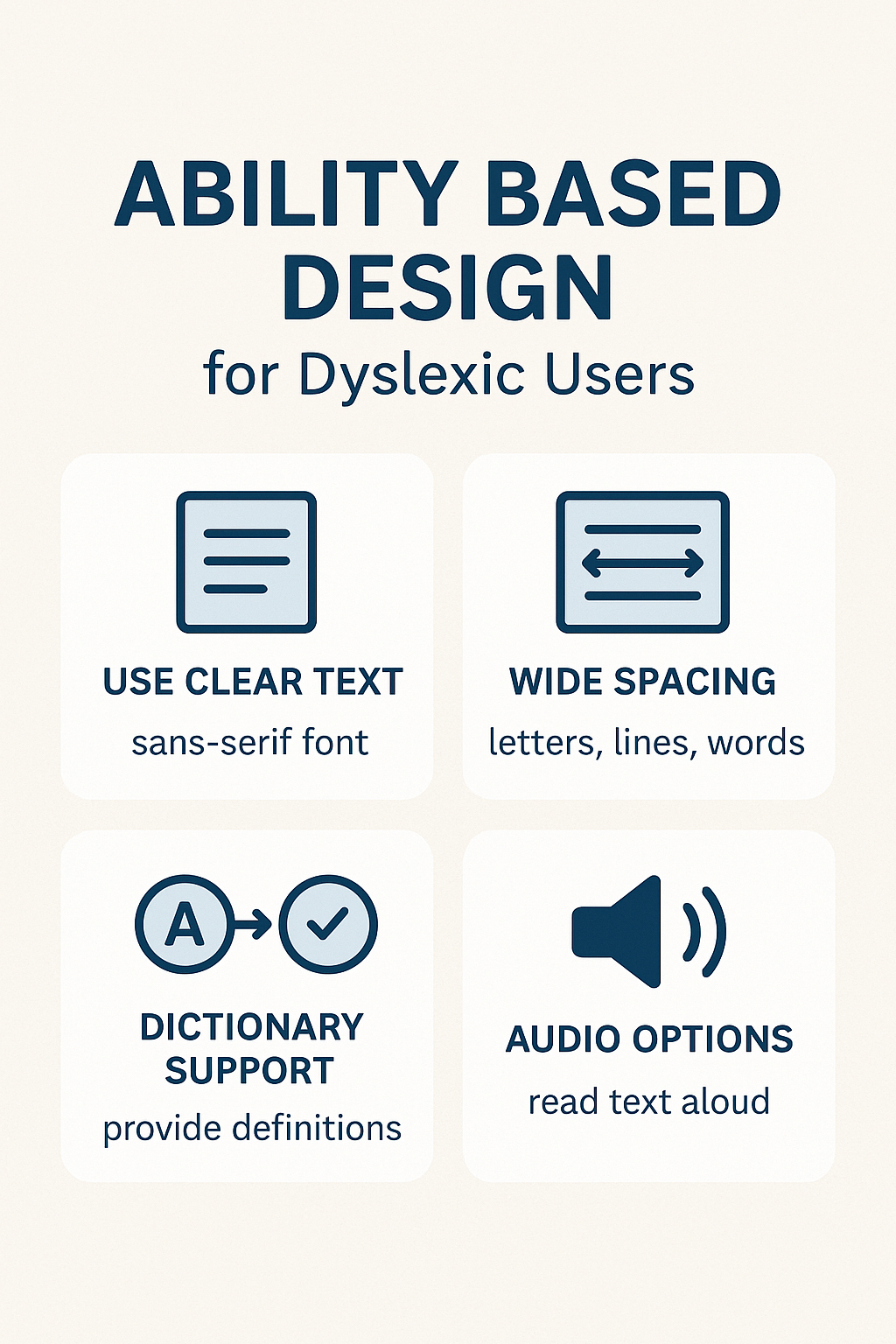
Shifts focus from what dyslexic users struggle with to what they excel at — like spatial memory and visual comprehension.
Text Optimization
Dynamically adjusts font size, spacing, and justification to improve legibility without overwhelming the user.
Visual Cues for Clarity
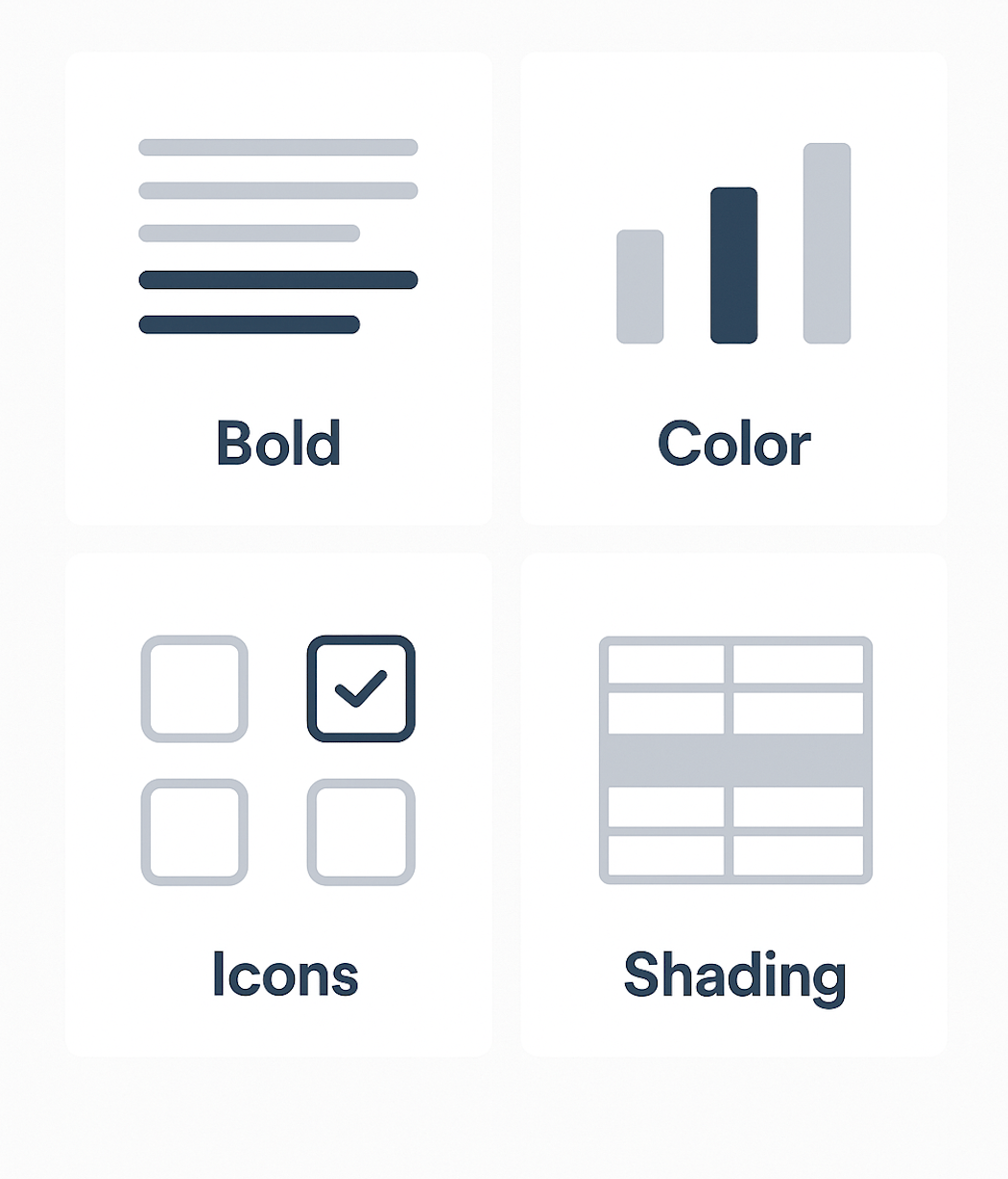
Icons and images are paired with headings and navigation links to improve scanning, memory, and comprehension.
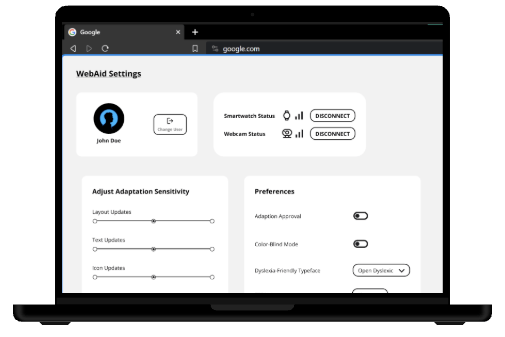
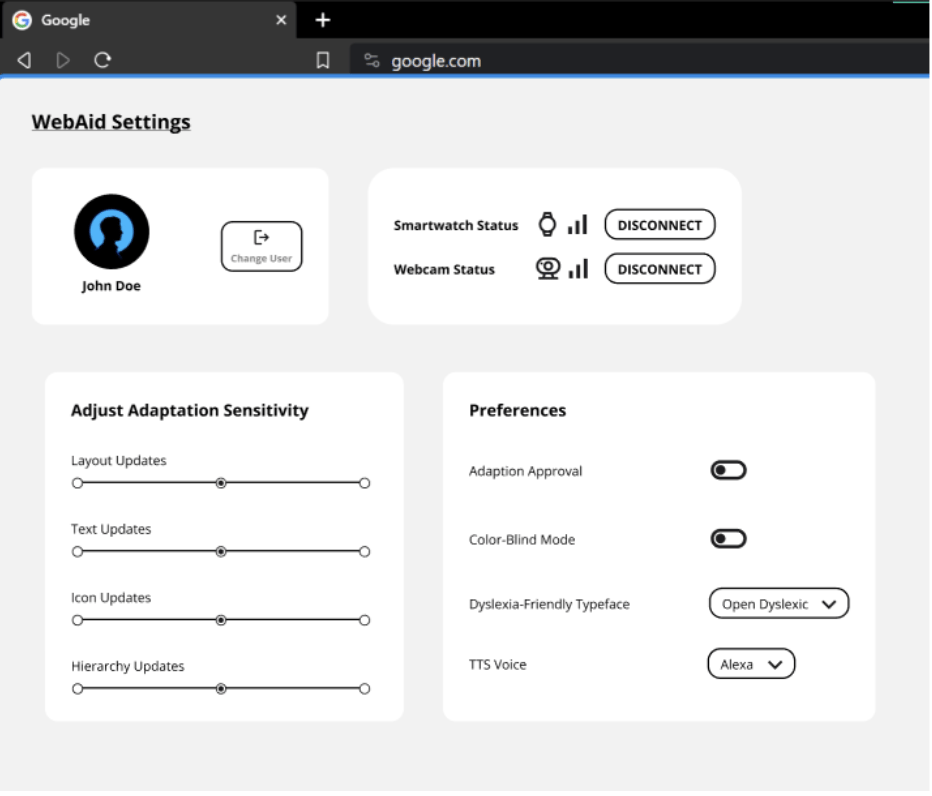
User Control Panel
Lets users customize fonts, colors, contrast, and enable/disable auto-adaptations for a tailored experience.
Research Insights That Informed Our Design
User Challenges
What Tools Miss
- Users struggled to scan dense content
- Difficulty locating key information
- Frustration with lack of guidance
- Difficulty remembering navigation paths
- Relied heavily on external tools for readability
- Static configurations — no dynamic adjustment
- Require manual effort to activate accessibility
- Lack of contextual adaptation (stress, emotion)
- One-size-fits-all — ignores individual strengths
- Poor emotional support or feedback loops
Ability-Based Design
Uses cognitive strengths (like spatial memory and visual cues) to shape how content is structured and remembered.
Example: Navigation relies on consistent placement and repeated visual cues to build familiarity.


Adaptive Interface
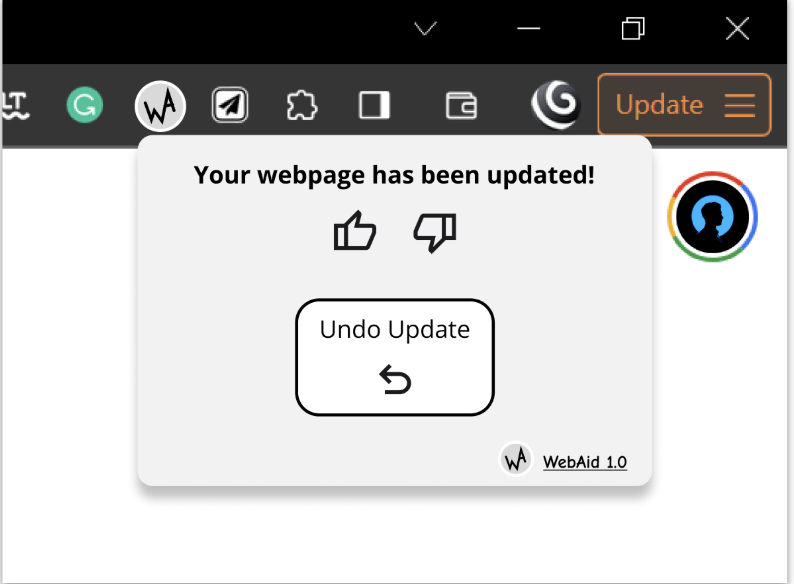
Uses passive signals (heart rate from smartwatch, eye tracking from webcam) to detect stress and trigger support.
Example: If the system detects user hesitation or confusion, it offers simplified layout or enlarged spacing.


Smart UI Adaptations
Dynamically changes text spacing, font, and layout density to reduce cognitive load.
Example: Switches to a dyslexia-friendly font and increases letter spacing when scanning issues are detected.


Visual Anchors
Adds contextual icons, headings, and images to help users process and recall content more effectively.
Example: Icons next to navigation links or visual breadcrumbs reinforce memory and reduce re-reading.


User Preference Panel
Gives users full control — they can choose fonts, enable TTS voices, toggle adaptive behaviors, or set themes.
Example: A user can enable dark mode + dyslexia font + manual-only adaptation in the preferences modal.


How WebPlus Works
Impact and Known Limitations
Impact
Limitations
- Proposed a novel browser-level extension (vs OS-level tools)
- Leverages dyslexic strengths (visual-spatial recall, contextual memory)
- Enables passive adaptation through stress detection (biometrics)
- Offers personalized experiences via adaptive UIs and user profiles
- Diversity of dyslexic users makes a universal model difficult
- Long-term effectiveness depends on continuous user engagement
- Not all webpage types are equally adaptable (e.g., text-heavy blogs/forums)
- System requires time to learn from user behavior to be truly adaptive
Future Considerations
AI-Based Summarization
Many dyslexic users struggle with content-heavy webpages like blogs and forums. We plan to integrate an AI-powered summarization feature that reduces cognitive load by offering simplified summaries.
Future goal: make this feature passive, requiring no manual selection or copy-paste by the user.
More Visual Personalization
WebPlus currently supports basic font and color adjustments. In future versions, we aim to expand this with custom themes, icon packs, and layout styles to help users feel more comfortable and in control of their browsing experience.
Advanced Adaptation Controls
Currently, WebPlus adapts based on stress indicators and user behavior. In future releases, users will be able to define which behaviors trigger adaptations, how often they appear, and set thresholds for feedback — making the experience even more transparent and user-directed.
Adaptive Image Injection
Dyslexic users benefit from visual reinforcement. A planned enhancement involves dynamically adding contextual images alongside large text blocks to help with comprehension and retention — especially on text-heavy sites.
Thanks for reading!
If this case study resonated with you, I’d love to connect and chat more. Feel free to reach out.
Siddharth Monga
Designing with empathy, clarity, and intent.